
Are you curious whether Instagram sends a notification when you capture a screenshot of someone’s DM, post, or story? 👀
We understand your curiosity. Hence, we have compiled all the essential details you need to know about screenshot notifications on Instagram, along with some alternative methods to save content.
Can Instagram detect when you take a screenshot of a story?
In short, Instagram does not notify users when their story is screenshotted.
Although there was a time when the platform used to notify users, it has now changed its policy, and users are free to take screenshots without any fear of being caught.
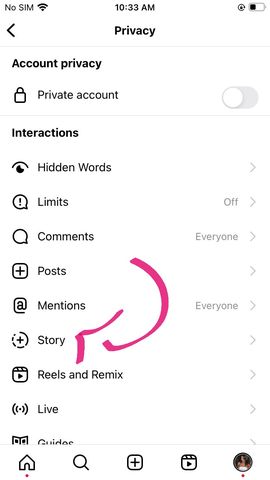
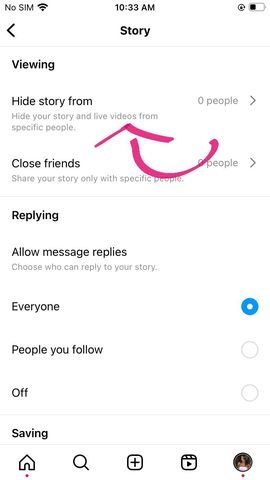
However, if you want to prevent a particular user from seeing or taking a screenshot of your Instagram stories, we recommend hiding them. You can do this by going to your Settings, selecting “Privacy,” then “Hide story from,” and adding the user’s account.

Can Instagram detect when you take a screenshot of a post?
Similar to Stories, Instagram does not send any notifications when someone takes a screenshot of a post, probably because there are simpler ways to save feed content.
This is where Instagram’s “Saves” and “Collections” features come in handy. By tapping the “bookmark” icon located at the bottom right corner of an Instagram post, users can save and collect a post for future reference.

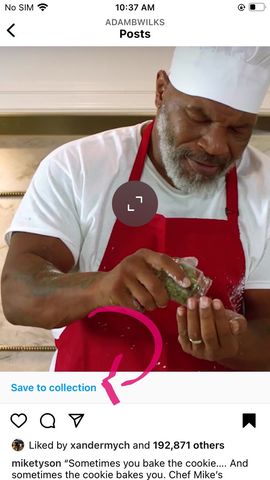
Instagram’s Collections feature takes the process of saving content to the next level. It allows you to categorize posts into different sections, eliminating the need for taking screenshots.
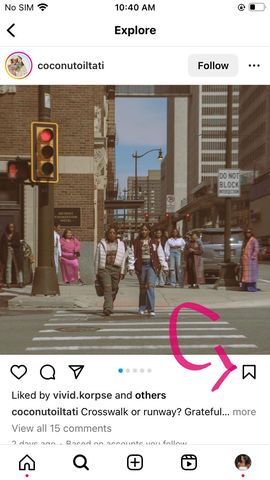
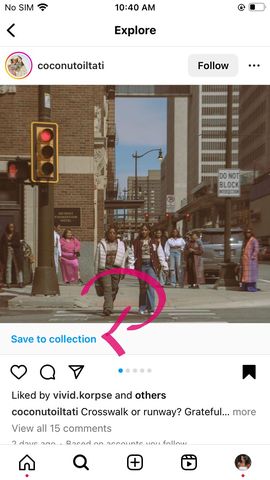
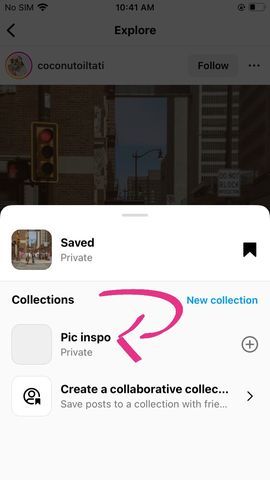
Note: Instagram’s latest feature, Collaborative Collections, allows you to save posts to a private collection that you can share with your friends.
Can Instagram Detect If You Screenshot a DM?
In general, Instagram does not send any notifications when you take a screenshot of a DM, except when you are using the Vanishing Mode.
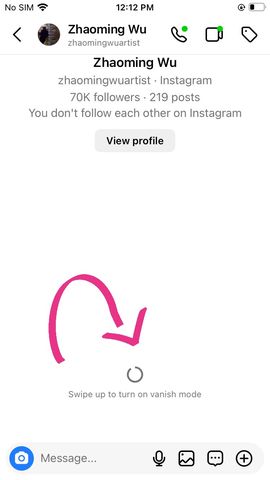
Vanishing Mode is a feature that automatically deletes your messages after the recipient has read them or after a specific time. This feature is useful for safeguarding your privacy because it sends a notification to the user when someone takes a screenshot of their message, photo, or video.
To enable Vanishing Mode, all you have to do is swipe up when you are in a DM chat.
So, to sum it up, these are Instagram’s screenshot notifications in a nutshell. Please be respectful of others’ privacy and mindful of the content you share on the platform. With features like Vanishing Mode, it is essential to remember that it notifies users when a screenshot is taken. Therefore, it is advisable to use alternative features like Collections or the Save bookmark tab to save content.