

Users can publish brief disappearing updates, alerts, or recommendations using Instagram Notes, which will only show up in the app’s Inbox section.
While some users find it amusing, others are unsure of its significance for their social media strategy. The introduction of the Instagram Notes feature makes sense in light of Instagram’s plans for 2022.
The app is concentrating on chat as well as video (particularly Reels), and it launched a series of new messaging features early this year. The chief executive of Instagram, Adam Mosseri, asserts that “Messaging is the main way people engage online.”
So, would Instagram Notes lead to increased DM involvement and conversations? Will users enjoy the content that is more text-based, similar to Twitter?
We’re interested to see how this feature works. Here is all we currently know about Instagram Notes, including instructions for making your own.
How Do Instagram Notes Work?
Instagram Notes allows you to send brief messages (similar to Post-its) to people you’ve added to your “Close Friends” list or who have followed you back.
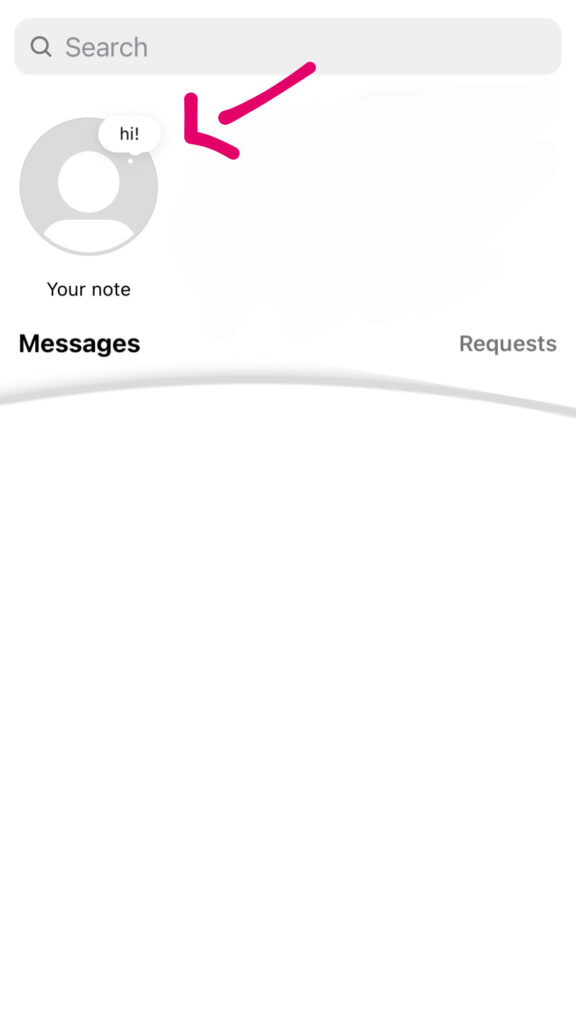
Above your direct messages in your Inbox, you’ll see Instagram Notes:

Notes are limited to 60 characters and vanish after 24 hours. Direct messaging allows users to respond to notes.
Using Instagram Notes
In your Inbox on Instagram, you will see a new Notes section at the top of your page.
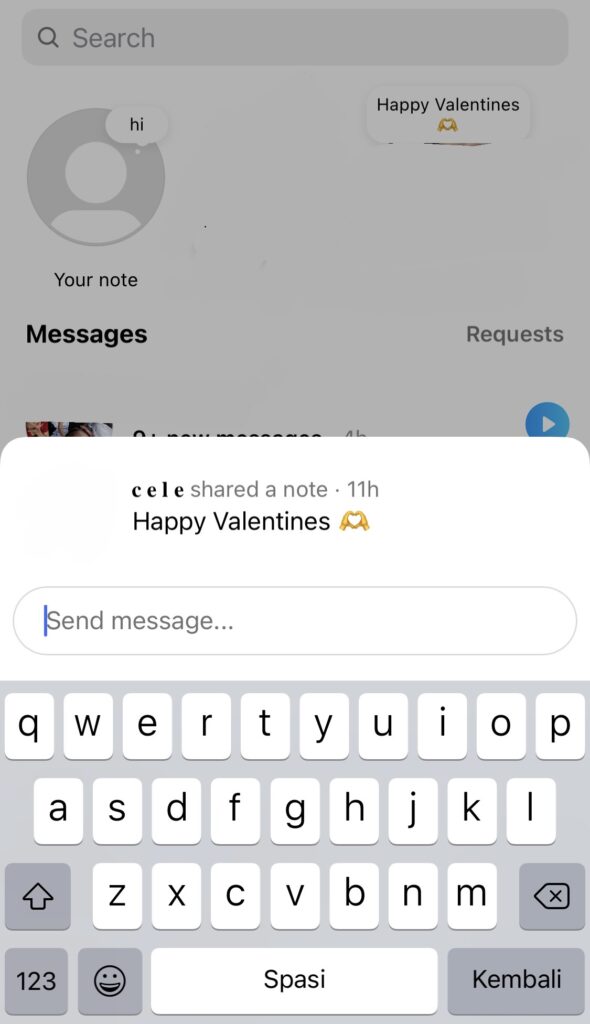
If any of your followers (who you follow) have created a Note, this is where you’ll see it.
Press the ”+” sign to create a new note.
After entering your message and choosing who you want to share it with, click Share.
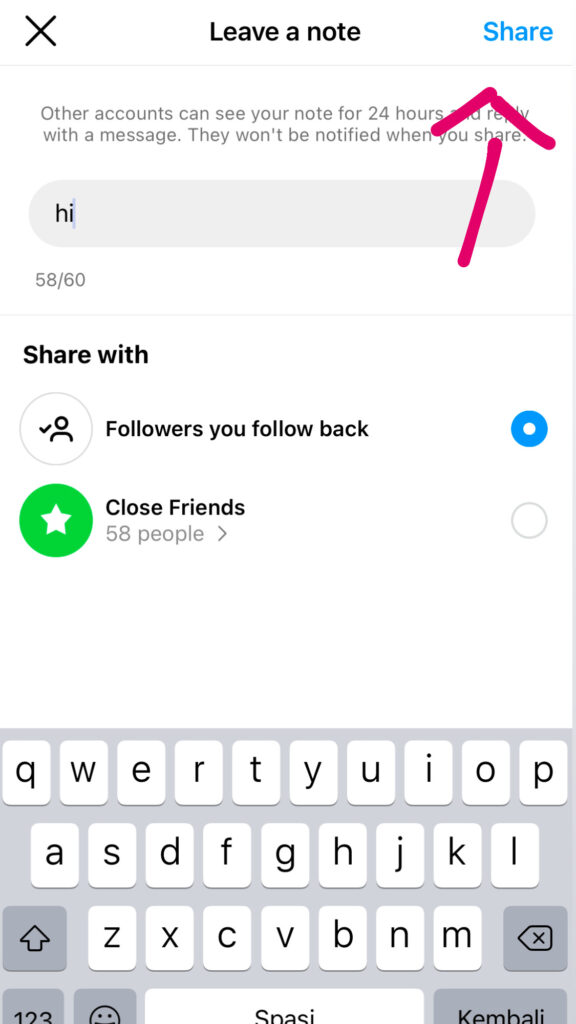
Users “won’t get a notification regarding Notes but will be able to access them for 24 hours on the app,” according to TechCrunch.
A message asking you to send a DM will appear when you tap on a note.
P.S: Keep checking if you haven’t yet seen Instagram Notes. It is still distributing to users across the entire app (excluding those in the UK, the EU, and Japan).